
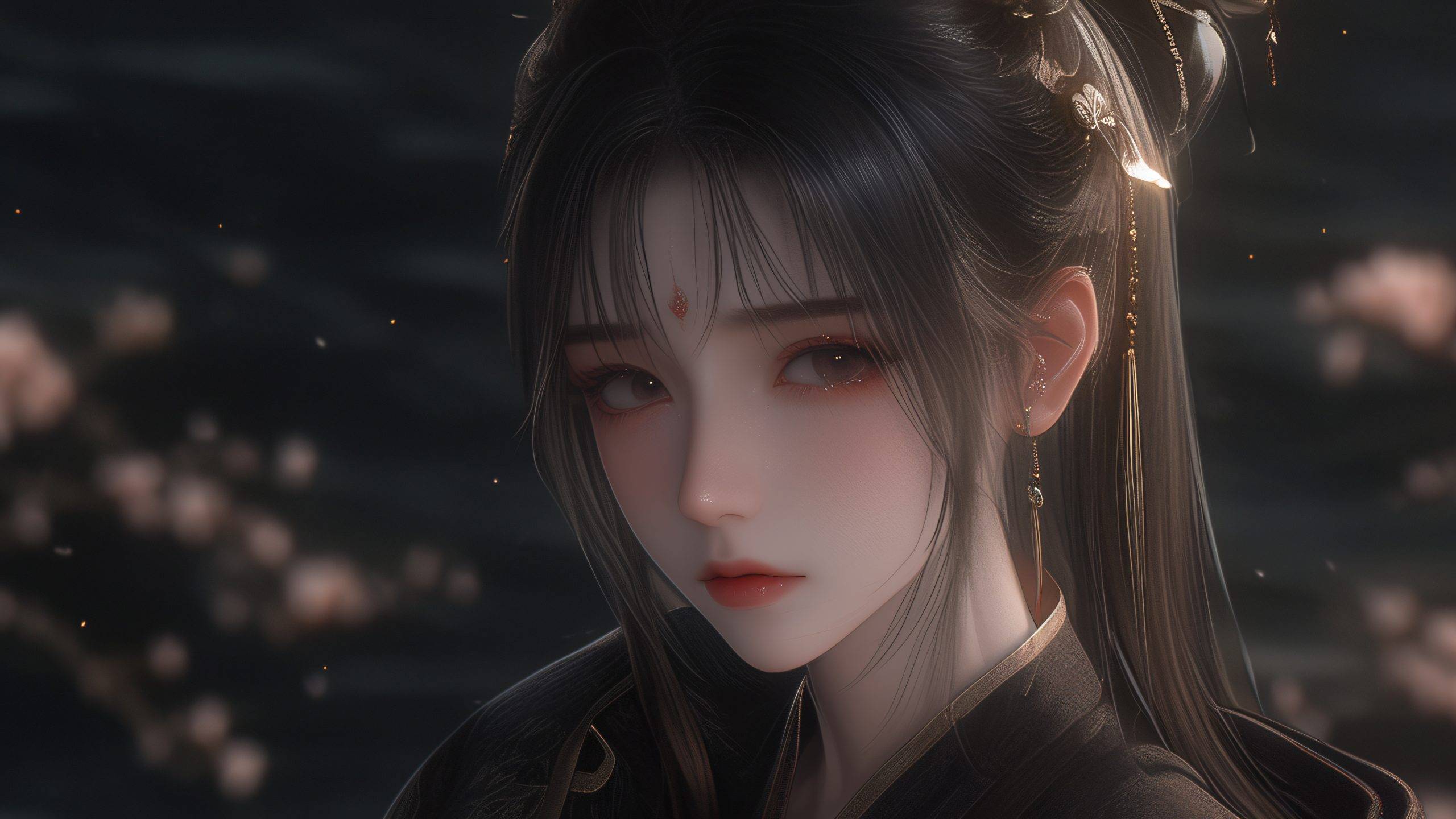
引言:打造沉浸式阅读体验的视觉升级
在子比Zibll主题的文章详情页中,静态布局往往难以留住访客。通过CSS与JavaScript结合,我们可以实现动态粒子极光与3D旋转水晶球的交互特效。这种效果不仅提升视觉层次,还能增加用户停留时间。本教程从零开始,带你一步步构建可运行的特效代码。
第一步:准备环境与文件结构
确保你的子比主题版本为最新(V7.5及以上),并开启自定义CSS/JS功能。操作路径:子比后台 > 主题设置 > 自定义代码。本教程不需要额外插件。
- 创建两个文件:
custom.css和custom.js - 将文件上传到主题根目录下的
/zibll/css/和/zibll/js/文件夹 - 在主题设置中引入:CSS输入
@import url('/zibll/css/custom.css');,JS输入src='/zibll/js/custom.js'
第二步:构建粒子极光背景
粒子极光通过canvas实现。在 custom.js 中添加以下代码,创建动态粒子系统。
// 粒子极光类
class AuroraParticles {
  constructor(canvas) {
    this.canvas = canvas;
    this.ctx = canvas.getContext('2d');
    this.particles = [];
    this.init();
  }
  init() {
    this.canvas.width = window.innerWidth;
    this.canvas.height = window.innerHeight;
    for (let i = 0; i  {
      p.x += p.vx;
      p.y += p.vy;
      if (p.x  this.canvas.width) p.vx *= -1;
      if (p.y  this.canvas.height) p.vy *= -1;
      this.ctx.beginPath();
      this.ctx.arc(p.x, p.y, p.size, 0, Math.PI * 2);
      this.ctx.fillStyle = p.color;
      this.ctx.fill();
    });
    // 连接邻近粒子形成极光效果
    for (let i = 0; i < this.particles.length; i++) {
      for (let j = i + 1; j < this.particles.length; j++) {
        const dx = this.particles[i].x - this.particles[j].x;
        const dy = this.particles[i].y - this.particles[j].y;
        const dist = Math.sqrt(dx * dx + dy * dy);
        if (dist  this.animate());
  }
}
// 在文章详情页创建canvas
if (document.querySelector('.single-post')) {
  const canvas = document.createElement('canvas');
  canvas.id = 'aurora-canvas';
  canvas.style.cssText = 'position:fixed; top:0; left:0; width:100%; height:100%; z-index:-1; pointer-events:none;';
  document.body.prepend(canvas);
  new AuroraParticles(canvas);
}
第三步:创建3D旋转水晶球
水晶球使用Three.js库实现3D旋转效果。在 custom.js 中继续添加代码。
// 引入Three.js(使用CDN)
const script = document.createElement('script');
script.src = 'https://cdnjs.cloudflare.com/ajax/libs/three.js/r128/three.min.js';
script.onload = () => {
  initCrystalBall();
};
document.head.appendChild(script);

function initCrystalBall() {
  const container = document.createElement('div');
  container.id = 'crystal-ball';
  container.style.cssText = 'position:fixed; bottom:50px; right:50px; width:200px; height:200px; z-index:100; pointer-events:none;';
  document.body.appendChild(container);

  const scene = new THREE.Scene();
  const camera = new THREE.PerspectiveCamera(45, 1, 0.1, 1000);
  camera.position.z = 5;

  const renderer = new THREE.WebGLRenderer({ alpha: true, antialias: true });
  renderer.setSize(200, 200);
  renderer.setPixelRatio(window.devicePixelRatio);
  container.appendChild(renderer.domElement);

  // 创建水晶球几何体
  const geometry = new THREE.SphereGeometry(1.5, 64, 64);
  const material = new THREE.MeshPhongMaterial({
    color: 0x88ccff,
    emissive: 0x2255aa,
    transparent: true,
    opacity: 0.7,
    shininess: 100,
    wireframe: false
  });
  const sphere = new THREE.Mesh(geometry, material);
  scene.add(sphere);

  // 添加内部光线
  const light = new THREE.PointLight(0x4488ff, 1, 10);
  light.position.set(2, 2, 2);
  scene.add(light);
  const light2 = new THREE.PointLight(0xff88aa, 0.5, 10);
  light2.position.set(-2, -1, 1);
  scene.add(light2);

  // 环境光
  const ambientLight = new THREE.AmbientLight(0x404060);
  scene.add(ambientLight);

  // 动画循环
  function animate() {
    requestAnimationFrame(animate);
    sphere.rotation.x += 0.005;
    sphere.rotation.y += 0.01;
    renderer.render(scene, camera);
  }
  animate();

  // 窗口大小自适应
  window.addEventListener('resize', () => {
    const size = Math.min(window.innerWidth, window.innerHeight) * 0.2;
    container.style.width = size + 'px';
    container.style.height = size + 'px';
    renderer.setSize(size, size);
  });
}
第四步:添加CSS样式美化
在 custom.css 中调整粒子极光和水晶球的显示效果,确保与文章内容兼容。
/* 文章详情页样式微调 */
.single-post .main-content {
  position: relative;
  z-index: 10;
  background: rgba(255, 255, 255, 0.9);
  border-radius: 12px;
  box-shadow: 0 0 30px rgba(0, 0, 0, 0.1);
  padding: 30px;
}
/* 水晶球悬浮动画 */
#crystal-ball {
  animation: float 3s ease-in-out infinite;
}
@keyframes float {
  0%, 100% { transform: translateY(0); }
  50% { transform: translateY(-15px); }
}
/* 移动端隐藏水晶球 */
@media (max-width: 768px) {
  #crystal-ball { display: none; }
  #aurora-canvas { opacity: 0.3; }
}
第五步:测试与调试
完成以上步骤后,刷新你的文章详情页。你应该能看到:
- 背景中青蓝色粒子缓慢移动并相互连接,形成极光流动效果
- 右下角一个半透明水晶球持续旋转,内部有光线折射
- 鼠标滚动时,水晶球保持浮动动画
- 在手机端自动隐藏水晶球,减少资源消耗
如果粒子不显示,检查canvas是否被其他元素遮挡。如果水晶球不旋转,确认Three.js CDN链接可用。
进阶优化:添加交互反馈
让水晶球跟随鼠标移动,增加互动感。在 initCrystalBall 函数末尾追加:
document.addEventListener('mousemove', (event) => {
  const x = (event.clientX / window.innerWidth - 0.5) * 0.2;
  const y = (event.clientY / window.innerHeight - 0.5) * 0.2;
  sphere.rotation.x += y * 0.01;
  sphere.rotation.y += x * 0.01;
});
这样用户移动鼠标时,水晶球会轻微旋转响应。
注意事项
本特效依赖JavaScript和Three.js库,确保子比主题支持自定义JS。如果主题版本过旧,建议先升级。粒子数量控制在150以内,避免性能问题。水晶球尺寸在移动端自动隐藏,兼顾用户体验。
通过以上五个步骤,你为子比Zibll主题文章详情页添加了动态粒子极光与3D旋转水晶球交互特效。这种视觉创新能让你的网站脱颖而出,吸引更多访客停留。
本站收集的资源仅供内部学习研究软件设计思想和原理使用,学习研究后请自觉删除,请勿传播,因未及时删除所造成的任何后果责任自负。
如果用于其他用途,请购买正版支持作者,谢谢!若您认为「 极栈网络 」发布的内容若侵犯到您的权益,请联系站长邮箱: 177007852@qq.com 进行删除处理。
本站资源大多存储在云盘,如发现链接失效,请联系我们,我们会第一时间更新。










暂无评论内容